Platform

Data Quality & Observability

Detect anomalies anywhere in your data, in real time

Lineage

Get to the root cause and resolve issues quickly

Data asset insights

Discover data assets and understand how they are used

Discover the product for yourself

Take a tour
CustomersPricing

Learn more

Customer stories

Hear why customers choose Validio

Blog

Data news and feature updates

Reports & guides

The latest whitepapers, reports and guides

Get help & Get started

AllianceBernstein drives data trust and accurate reporting

Watch the video
Product Updates

The remediation gap: why detecting data quality issues is only half the job

April 23, 2026
Chris BrownChris Brown

Most data quality tools are built to answer one question: is the data good right now? But in production environments, that's only half the job. The harder challenge is proving that bad data was detected, fixed, and verified - with a complete audit trail that satisfies auditors, stakeholders, and compliance frameworks.

This post covers how to verify data fixes after remediation, and why the ability to go back and re-validate a specific time period, without wiping the original failure from the record, is the missing piece most teams don't realize they need until an auditor asks.

TABLE OF CONTENTS

Your data quality tool found a problem. The alert fired. The team investigated and traced it to an upstream ETL failure. Someone fixed the source data. And then... what?

This is the moment most data quality workflows quietly fall apart. The detection was flawless. The investigation was fast. The fix was correct. But proving that the fix actually worked, with a clear record that an auditor, a stakeholder, or your future self can trust, is where the industry draws a blank.

Most data quality tools are built around a single question: is the data good right now? That's necessary, but it's not sufficient. The harder question is: was the data bad, was it fixed, and can you prove it?

The answer depends entirely on how your validations execute. Not just what they check, but when they run, what triggers them, and whether they can go back and re-examine a time period that already closed. Most tools give you a cron schedule and call it a day. That leaves a gap - not just in flexibility, but in the ability to close the remediation loop.

The starting point: scheduled polling

Scheduled polling is where every data quality tool begins. Set a cron expression, and the system checks your data at regular intervals. Every 10 minutes, every hour, every day. It's straightforward, it's familiar, and for many use cases it works.

But even within scheduled polling, there's more nuance than most tools acknowledge.

Polling frequency and validation window size are independent concerns. You might poll your warehouse every six hours, but your validation windows are daily. Each poll checks whether new data has arrived for the current window, but the validation itself still operates on a full day's worth of data. Many tools conflate these two concepts, which limits how you can adapt to different data patterns.

Then there's the question of when a window closes. For a team with a predictable daily batch pipeline, you want the window to close as soon as data has arrived - no reason to wait. But a team loading data continuously throughout the day needs the window to stay open until all the data is in. This is a single configuration toggle - window timeout - and it adapts the same polling schedule to fundamentally different data arrival patterns.

Even in "just scheduling," the flexibility gap between tools is significant.

When the clock isn't enough: event-driven execution

Not all data follows a schedule. Streaming sources deliver events continuously. Batch pipelines finish when they finish - sometimes at 2:00 AM, sometimes at 3:47 AM, sometimes not until 6:00 AM because a dependency was slow.

When your data arrives on its own terms, running quality checks on a fixed timer means one of two things: either you check too early and miss the data, or you check too late and waste hours before catching a problem.

Orchestrator-triggered validation solves this. Instead of waiting for the next scheduled poll, your pipeline triggers the quality check the moment it finishes loading data. The quality check becomes part of the data pipeline itself, not a parallel process running on its own clock.

This enables a pattern that fundamentally changes how data teams operate: the circuit breaker. When a validation runs as part of the pipeline, downstream jobs can be gated on the result. If the quality check passes, the DAG continues - the dashboard refreshes, the ML model retrains, the report generates. If it fails, the pipeline halts. Bad data doesn't propagate. The circuit breaks.

Picture a data platform team running Airflow. Their DAG loads data into the warehouse, triggers a Validio poll, and waits for the result. If incidents are detected, downstream tasks don't execute. The dashboard doesn't update with corrupt numbers. The ML training job doesn't retrain on incomplete data. The team gets alerted in minutes, not hours.

The shift is fundamental: from "check on a timer" to "check when it matters, and stop the pipeline when it doesn't pass."

The circuit break automatically prevents incidents from propagating downstreams.

The gap nobody talks about: what happens after the fix?

Everything above handles the initial validation. Detect the problem, investigate, and fix the source data. But here's where the workflow breaks down.

You've fixed the data. Now you need to verify the fix. What are your options?

Wait for the next check. If your validators use global windows (a full table scan each cycle), the next poll will eventually pick up the corrected data. But the result is just another data point on the chart. There's no connection between the original failure and the new value. No audit trail. No proof that a specific incident was detected and then resolved.

For tumbling windows (the kind used for daily, hourly, or weekly batches), waiting doesn't help at all. Once a window closes, it's historical. The next poll moves forward to the next time period. Monday's window had a problem? Tuesday's poll validates Tuesday's data. Monday is never re-examined.

Reset the validator. Delete all existing metrics, incidents, and history. Re-process everything from scratch. You'll get a fresh result, but you've destroyed the evidence of the original failure. For compliance purposes, this is arguably worse than not checking at all. You had a record of the problem, and you erased it.

Neither option closes the loop. Neither gives you proof that a specific problem was found, remediated, and verified.

In regulated industries, this isn't a workflow inconvenience. It's a compliance failure. Banking regulations like BCBS 239 and frameworks like SOX require evidence of the full cycle: detection, remediation, and re-verification. An auditor asking "how do you know this was fixed?" needs a better answer than "we waited for the next daily run" or "we reset everything and it looks fine now."

This is an industry-wide blind spot. Most data quality tools treat execution as a one-way street: validate, detect, alert. The remediation verification step is left entirely to manual processes: spreadsheets, screenshots, Slack messages that say "looks good now."

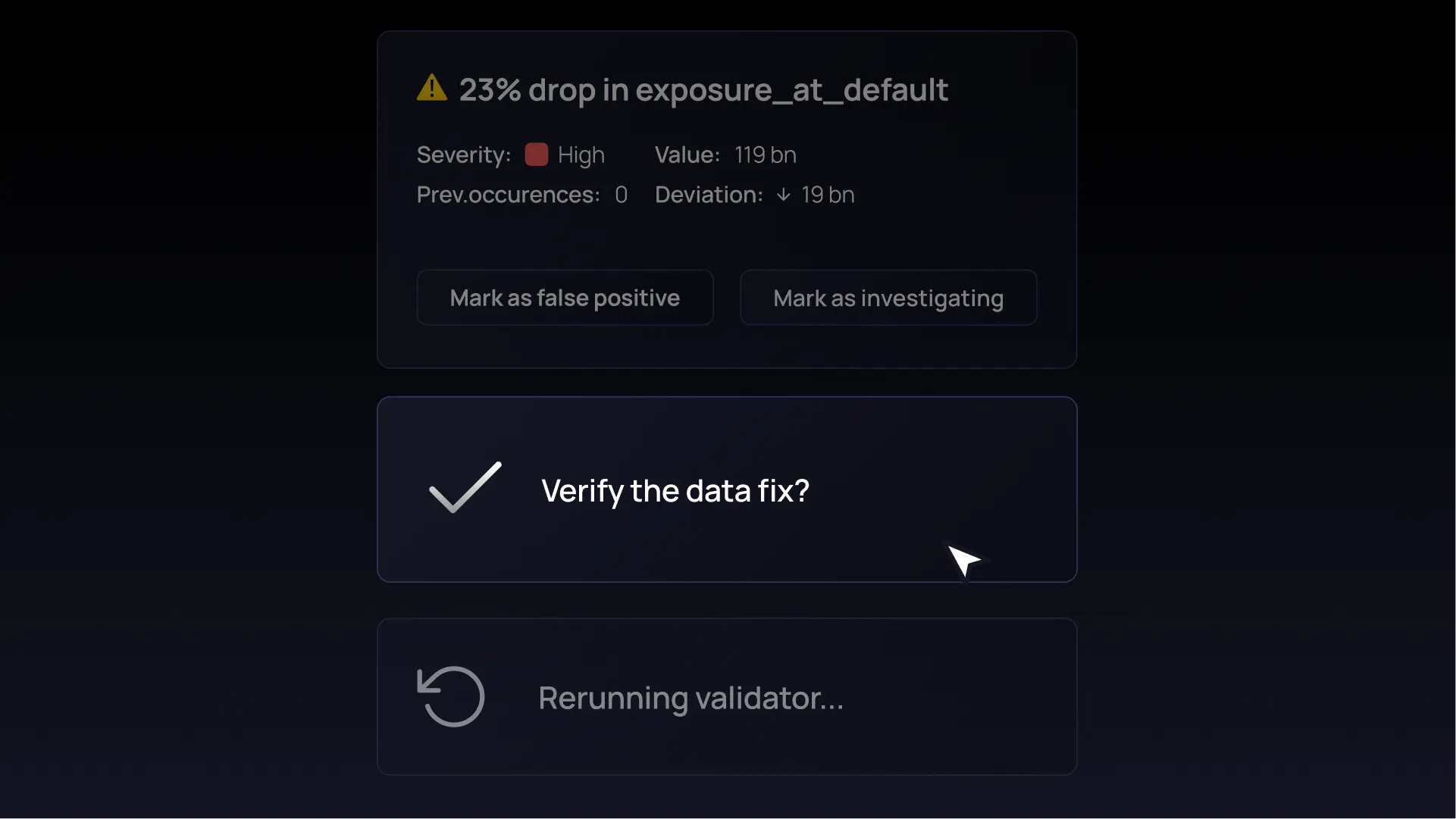
After the underlying data has been fixed, it's time to verify it by rerunning the validation.

Closing the loop: non-destructive reruns with audit trail

There's a third option. Re-execute the validation on the specific time window that had the problem, without destroying any existing data.

This is what a non-destructive rerun does. It goes back to a specific historical window, re-reads the source data, computes a new metric value, and stores the result alongside the original. The old value stays. The new value sits next to it. The full history is preserved.

If the new value falls within the configured bounds, the incident is automatically resolved. The record shows the original failure with its timestamp, the rerun result with its timestamp, and the resolution. One timeline. One audit trail. No manual documentation required.

You can rerun just the most recent window for a quick verification after a fix. Or you can rerun from a specific historical window forward (say, from last Monday) when you know exactly which time period was affected. When a data fix at the source touches multiple validators, you can rerun them all in a single action. Each gets its own audit trail.

Here's what this looks like in practice:

  1. Tuesday morning, a volume validator detects an anomaly: row count dropped 40% in Monday's daily window
  2. The team investigates and traces it to an upstream ETL failure that truncated records
  3. The ETL team re-runs the pipeline and the source table is corrected
  4. A data engineer triggers a rerun from Monday's window
  5. The new metric value (normal row count) appears alongside the original anomalous value
  6. The incident is automatically resolved
  7. The complete timeline is visible to anyone who needs it: original failure at 06:00 Tuesday, data remediation at 14:30, successful re-validation at 14:45

The architectural reason this works is worth understanding. Validio's validations are tied to bounded time windows: daily, hourly, weekly intervals that correspond to the same time periods that appear in business dashboards and reports. "Monday's batch" means the same thing to the data engineer running the rerun, the compliance officer reviewing the audit trail, and the business analyst reading the revenue dashboard.

Tools that operate on global windows (running a full table scan each cycle) cannot make this distinction. They can tell you what the data looks like now, but they can't go back and re-examine what it looked like on Monday versus what it looks like after the fix. The window concept is what makes targeted, non-destructive reruns architecturally possible. Without it, "rerun Tuesday's batch" and "run the whole thing again" are the same operation.

After the rerun, the previously anomalous data points have adjusted and are now within the threshold.

The full picture

Scheduled polling, event-driven execution, circuit breakers, and non-destructive reruns aren't four isolated features. They're a coherent execution model that matches how data actually behaves in production, and how data teams actually need to work with it.

The business impact compounds across each mode. Orchestrator-triggered validation eliminates the gap between data landing and quality verification. Circuit breakers prevent bad data from reaching downstream consumers. Non-destructive reruns close the remediation loop in minutes instead of hours or days. And audit trails that preserve the full detection-to-resolution timeline satisfy compliance frameworks without manual documentation.

Perhaps most importantly, auto-resolved incidents mean your team sees genuinely open issues - not stale alerts for problems that were already fixed three hours ago. Less noise. More trust. Faster action on the issues that actually matter.

If you're evaluating your data quality approach, here's a question worth asking: can you rerun a validation for a specific time window and see the original failure next to the fix? If the answer is "wait for the next scheduled run" or "reset and start fresh," you're missing a critical part of the workflow.

The detection side of data quality has matured. The remediation side is just getting started.

Validator rerun is available in Validio 8.2

See it live

Book a demo